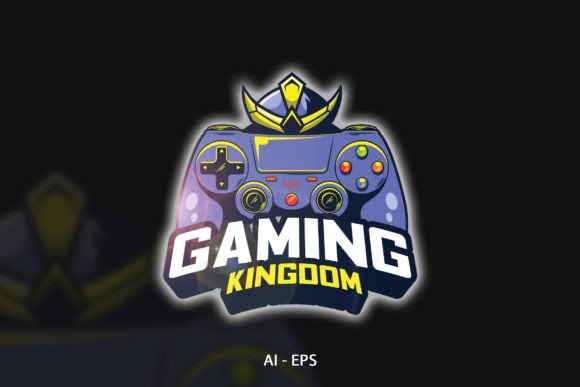
Exploring the Gaming Kingdom Editable Vector Library
Imagine having a design asset that instantly transports any project into the heart of a digital arcade. That is exactly what the Gaming Kingdom vector kit provides. It is a fully editable collection of gaming-themed graphics, prepped and ready for a wide range of professional and personal uses. Whether you are a marketing lead crafting a campaign, a small business owner refreshing your signage, or an educator building engaging lesson materials, this resource cuts down on production time while delivering a polished, cohesive aesthetic.
What sets a good asset library apart from a mediocre one is not just the artwork itself, but the technical framework supporting it. The Gaming Kingdom package arrives with 100 distinct vectors. This count alone offers significant variation, allowing you to mix and match elements without the design feeling stale. You can pick individual icons, combine characters, or build expansive scenes. The real power, however, lies in the file formats provided. You receive an AI file and an EPS file. Both are native to vector editing software like Adobe Illustrator, CorelDRAW, or Affinity Designer. This means you can open the master file, ungroup elements, and start customizing immediately.
The inclusion of 300 DPI and CMYK color mode immediately signals that the creator designed this for professional output, not just screen use. When you need to send a file to a commercial printer for flyers, banners, or merchandise, CMYK is the standard. It ensures that the vibrant crimsons and neon blues you see on your monitor translate as accurately as possible to physical inks on paper. The 300 DPI specification guarantees that even when you scale an element to the size of a trade show backdrop, the edges remain crisp and sharp. No blurry pixelation, no jagged outlines.
Why Vector Format Changes Everything
Raster images lock you into a resolution. Scale them up, and they degrade. A vector illustration, by its nature, is mathematical. The graphics in the Gaming Kingdom collection are paths and points. You can resize a game controller icon to fit a business card or blow it up to fill the side of a delivery van. The quality remains consistent. For a freelancer who needs to repurpose assets across multiple deliverables—a social media post in the morning, a billboard design by the afternoon—this scalability is not a luxury; it is a necessity.
Text editability is another critical feature often overlooked in graphic bundles. Many stock downloads flatten the text, rendering it useless for localization or slogan changes. The Gaming Kingdom kit keeps text layers live where applicable. You can change a scoreboard number, edit a team name, or replace a generic "Game Over" message with your own call to action. The package also includes font info. This saves you the headache of hunting through typeface libraries trying to identify a match. You know exactly which font was used to maintain brand consistency, or you can substitute it with your own branded typeface while preserving the overall styling of the vector.
Seamless Integration into Professional Workflows
Efficiency matters as much as aesthetics. Opening an AI or EPS file and finding clearly labeled layers and organized groups turns a two-hour reconstruction job into a five-minute edit. If you are a marketer preparing a dungeon-themed email header for a product launch, you don't want to wrestle with a messy file. You want to select the "Dragon" layer, change the hue to match your brand's orange, and export. The Gaming Kingdom files are structured to support this level of speed. You can disable elements, move them, or isolate them without accidentally disturbing the rest of the composition.
Let’s talk about specific environments where this kit proves valuable:
- Retail and Event Promotions: Print shops and event organizers can craft retro gaming night posters, window decals, and loyalty cards. The CMYK color mode prevents unexpected color shifts during offset or digital printing.
- Digital Content Creation: Streamers, YouTubers, and bloggers can animate static vectors from the kit to create overlay packages, thumbnail designs, or forum badges. Resizing for screen use is effortless with the scalable vector paths.
- Merchandise Development: Entrepreneurs designing T-shirts, mugs, or phone cases need artwork that separates easily for screen printing. The AI and EPS formats allow for direct color separation and clean lines.
- Education and Training: Instructional designers can gamify learning experiences. Use the character vectors and power-up icons to build progress bars, reward charts, or interactive quizzes in presentation software.
Maximizing Visual Impact in Branding
Consistency is the backbone of recognition. A gaming cafe or an esports startup can build an entire visual identity around a single cohesive vector pack. By using the 100 available vectors, you avoid the disjointed look that comes from pulling assets from dozens of different sources with clashing art styles. The Gaming Kingdom collection likely maintains a consistent line weight, shading style, and color palette. This uniformity lets you build a brand guide where social media templates, printed menus, and merchandise all feel like part of the same family.
Color modification is straightforward thanks to the vector structure. You can recolor assets globally or individually to fit a strict brand palette. If your company identity uses a specific shade of green, you can apply it across all the space invader icons or magic potion bottles in seconds. The editable text also means you can localize your branding for different regions or swap out seasonal greetings without hiring a designer to redraw the main graphic.
Practical Considerations Before You Start
To get the most out of this toolkit, you need the right software. Adobe Illustrator is the native home for AI files, but free alternatives like Inkscape can handle EPS files effectively, though some layer structures might simplify upon import. Always check the file on a calibrated screen if you intend to use the CMYK color mode strictly for print. A dark cyan on an uncalibrated monitor might look black, leading to surprises when the physical box of T-shirts arrives. Use the font info to install the correct typeface before you start, or convert the placeholder text to outlines if you only need the visual shape.
You should also consider the licensing terms. While the technical specs are solid—fully editable, high resolution, print ready—the permitted usage determines where you can place these graphics. Most professional kits like Gaming Kingdom allow for commercial use, but it is wise to confirm if you plan to use the vectors in a logo design that will be trademarked. Understanding usage rights protects your business from legal friction later.
Moving from Graphic to Tangible Result
The value of a well-crafted vector kit lies in how easily it fades into the background of your workflow. You stop worrying about the art and start focusing on the message. When a last-minute client request comes in for a "gaming-themed" flyer, you aren't panicking. You open the Gaming Kingdom EPS file, drag in the elements you need, customize the text, and export. The job moves from your inbox to the printer in minutes.
For entrepreneurs selling printable party packs on Etsy or Shopify, 300 DPI and CMYK are your safety net. You can list a product knowing customers won't complain about blurry graphics when they print at home or at a local print shop. The pre-packed 100 vectors also give you enough variety to create multiple product listings from a single purchase, expanding your inventory efficiently.
In short, this is more than a flashy set of arcade symbols. It is a productivity tool. The technical underpinnings—the AI and EPS files, the font info, the fine-tuned color mode and resolution—exist to eliminate the friction between your idea and the finished product. Whether you are a seasoned creative director or a hobbyist crafting a birthday invitation, the Gaming Kingdom kit offers a blend of artistic flair and technical rigor that adapts to your needs. Thank You for taking the time to understand how these specifications translate into real creative power. Now you can proceed with a clear vision of how these 100 vectors will fit into your next project.