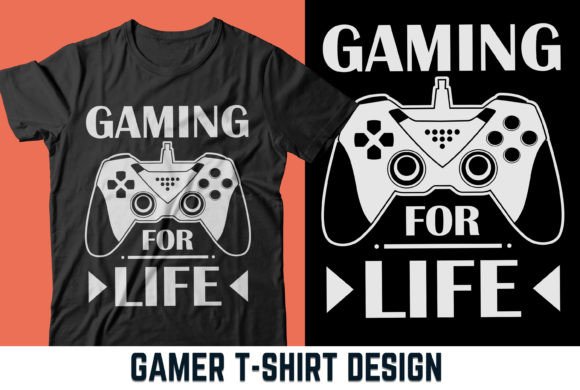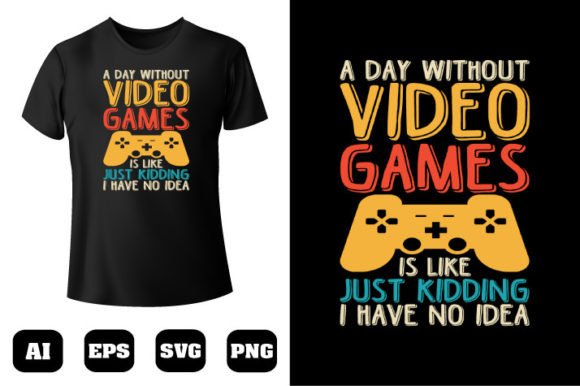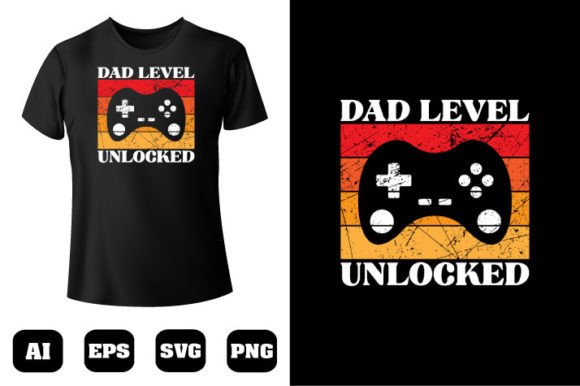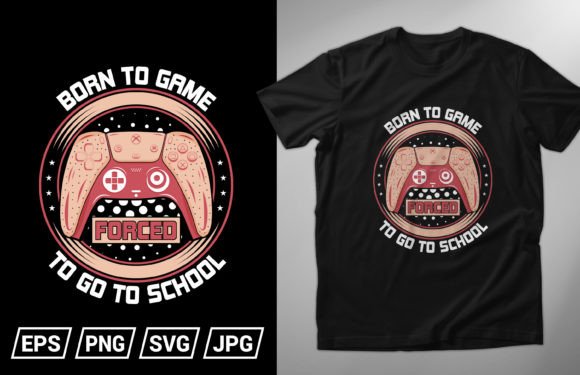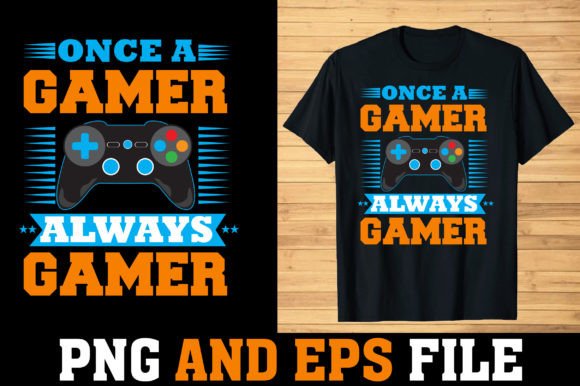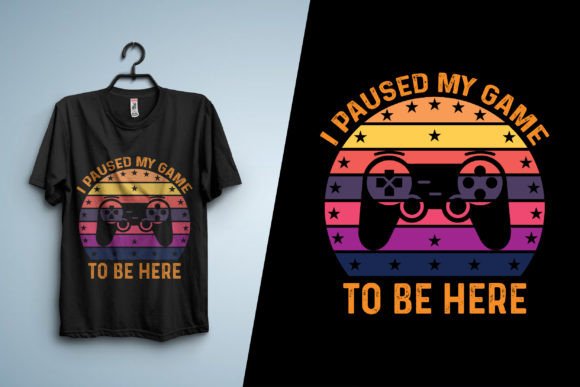
Gaming Custom T-shirt Design Made Easy for Creators
There is something deeply satisfying about seeing your artwork on a shirt. If you have spent any time inside the gaming community, you already know how much people love wearing their passion. A well-designed gaming custom t-shirt design does more than look good. It starts conversations, builds identity, and gives fans a way to carry a piece of their favorite worlds into everyday life.
I have worked as a graphic designer and print-on-demand specialist for four years now. In that time, I have created hundreds of designs for clients, brands, and personal projects. One thing I have learned is that quality source files make all the difference. Whether you are building a merch line, launching a Shopify store, or preparing assets for a client presentation, starting with editable, print-ready templates saves hours of frustration. This is why I put together a collection of 100 fully editable gaming custom t-shirt designs, complete with source files and free mockups. Every file is vector-based, color-changeable, and ready to send to production.
What Makes a Strong Gaming Custom T-shirt Design
Not every t-shirt graphic works on fabric. A design that looks sharp on screen can fall flat when printed if it lacks contrast, has overly fine details, or uses colors that do not translate well to garment inks. Over the years, I have refined what makes a gaming-themed shirt work in the real world. It comes down to a few things.
First, clarity of the concept. Gaming culture is rich with symbols, references, and inside jokes. A design that taps into a recognizable theme without being too literal often performs best. Think silhouette-based compositions, iconic controller elements, pixel art nods, and typography that echoes classic game titles. The best designs let the wearer feel like part of a tribe without shouting for attention.
Second, scalability and format matter enormously. The 100 designs I provide are built entirely with vector shapes. This means you can scale them from a small chest print to a full back graphic without losing any sharpness. Each file opens cleanly in Adobe Illustrator CC, and because the shapes remain editable, you can recolor, resize, or restructure elements as needed. Vector construction also ensures that screen printers and DTG operators get consistently crisp results.
Third, color flexibility is non-negotiable. A design might start as neon green and black, but your customer might want it on a navy blue shirt with gold accents. Every design in this collection is fully color-changeable. You can swap palettes in seconds, which means one file can serve multiple product variants. This alone saves hours when managing an online catalog.
Why Editable Source Files Give You an Edge
Many people entering the print-on-demand space rely on static PNGs they find online. That approach works for quick tests, but it severely limits what you can do. Having access to editable source files changes your workflow completely.
Here is what the file package includes for each of the 100 designs:
- Transparent PNG for immediate mockup placement and quick previews
- EPS file compatible with older and newer vector editing software
- PDF file for sharing with clients or printers who need a standardized format
- SVG file ideal for web use, Cricut projects, and lightweight editing
- AI file fully layered Adobe Illustrator CC source with editable vectors
- Free mockup file so you can present designs professionally without extra purchases
All files are compressed into one ZIP archive. You will need to extract them using WinZIP, WinRAR, or your system's built-in extraction tool. Simply double-click the file and extract the contents. Once unpacked, the folder structure keeps everything organized so you can find what you need without digging through clutter.
Real-World Applications for Gaming Custom T-shirt Design
When I talk to fellow creators about how they use these assets, the answers span a surprising range. The gaming niche touches so many different industries now. Here are some practical ways these designs get used.
Building a Print-on-Demand Brand
If you run a store on platforms like Printful, Printify, or Gelato, you know that product variety matters. With 100 designs, you can populate an entire collection in one go. Because every design is recolorable, you can offer multiple colorways per listing, effectively multiplying your SKU count without starting from scratch each time. The included mockups let you stage product photos that look professional even if you never print a sample yourself.
Client Work and Freelancing
As a graphic designer, I often take on projects where clients need gaming merchandise fast. Having a library of pre-built, editable vector designs lets me deliver polished concepts within hours instead of days. I can pull a base design, adjust the colors to match the client's brand, swap a few elements, and present a mockup that looks finished. Clients appreciate the speed, and I appreciate not burning creative energy on routine production tasks.
Event Merchandise and Esports
Local tournaments, charity streams, LAN parties, and gaming conventions all need shirts. Organizers usually have tight timelines and modest budgets. These designs give them a professional starting point that they can customize with event names, dates, and sponsor logos. The vector format ensures that any local print shop can work with the files without compatibility issues.
Content Creators and Streamers
Twitch and YouTube creators have turned merch into a core revenue stream. A streamer who wants gaming-themed apparel can take these designs, tweak the colors to match their channel palette, add their logo or tagline, and have a cohesive merch drop ready in a matter of hours. The editable AI files make adding custom typography straightforward.
Educational and Community Projects
Teachers running game development clubs, coding camps, or esports programs at schools often want custom shirts for their students. These designs serve as a foundation. Instructors without advanced design skills can still produce great-looking results because the heavy lifting is already done. They just need to open the file, adjust text or colors, and export.
Practical Benefits You Will Notice Right Away
Moving beyond theory, here is what actually improves in your workflow when you work with well-structured vector files rather than flat images.
Speed of iteration. You can test a design on five different shirt colors in five minutes. This matters when you are listing products or presenting options to a stakeholder. Color-changeable vectors let you experiment without destructive edits.
Print consistency. Because the files are built with clean vector paths, you avoid the pixelation and edge artifacts that plague raster images. Printers get predictable results, which means fewer rejected samples and happier customers.
Cross-platform compatibility. The inclusion of SVG, EPS, PDF, and PNG means you are covered whether you work in Adobe Illustrator, CorelDRAW, Affinity Designer, Inkscape, or even browser-based editors. You are not locked into one ecosystem.
Professional presentation. The bundled mockup files elevate how you showcase your work. A well-mocked design builds buyer confidence. Customers can visualize the final product, which directly impacts conversion rates.
What to Consider Before Using Pre-Made Designs
Even with high-quality source files, there are a few things worth thinking through.
Check your print provider's requirements. Different DTG printers and screen printing shops have slightly different file preferences. Most accept the formats included here, but it is wise to confirm color profiles and resolution expectations before placing a bulk order.
Customize, do not just copy. The designs are meant as a foundation. Small tweaks to color, scale, and composition go a long way in making a design feel original to your brand. Audiences respond to authenticity, and standing out in the gaming merch space often comes down to those subtle personal touches.
Understand your niche. Gaming is broad. A design that resonates with retro arcade fans might not connect with modern FPS enthusiasts. Browse through all 100 designs and identify which ones align with your specific audience segment. Curating a tight collection is often more effective than dumping everything into your store.
Stay organized with your files. After extracting the ZIP, create a folder structure that makes sense for your workflow. Group designs by theme, style, or color family. This small upfront effort pays off when you are mid-project and need to locate a specific file quickly.
The Tools That Make This Workflow Sing
I design primarily in Adobe Illustrator CC, which is why the AI files are built for that environment. The layers stay intact, making it easy to isolate individual elements. If you use alternative software, the EPS and SVG formats provide excellent fallback options. For quick color changes and mockup placement, even a basic understanding of Illustrator goes a long way.
For those who prefer a simpler approach, the transparent PNG files drop directly into mockup templates in Canva, Photoshop, or online tools like Placeit. You lose editability at the shape level, but for rapid prototyping, it works perfectly fine.
How I Approach Designing for the Gaming Audience
After four years in this space, I have developed a sense of what connects. Gaming fans appreciate detail, but they also value subtlety. A design does not need to scream "gamer" with every element. Sometimes a minimal controller icon, a clever typography treatment, or a pixel-art reference woven into a modern composition lands harder than an overly busy graphic.
I also think about garment color when I design. A design that looks fantastic on a black shirt might need adjustments to work on heather gray or white. Since these files are fully editable, you can quickly adapt the contrast, stroke weights, and color balance to suit different garment options. This flexibility is something static design bundles simply cannot offer.
The collection reflects a range of styles. Some designs lean retro, pulling from 8-bit and 16-bit aesthetics. Others feel modern and clean, suited for esports branding or minimalist streetwear. Having that variety means you can serve different customer tastes without commissioning custom work every time.
Making the Most of Your Designs
Once you have extracted the files and set up your workspace, here is a practical sequence to follow.
- Browse all 100 designs and flag the ones that fit your current project.
- Open the AI file for your chosen design and adjust colors to match your brand or seasonal palette.
- Apply the design to the included mockup to see how it renders on fabric.
- Export production-ready files in your printer's preferred format.
- List or pitch the design with the mockup as your visual proof.
This loop can be repeated endlessly. As seasons change, as new gaming trends emerge, or as your own style evolves, you can return to the source files and create fresh variations. That is the real value of owning editable assets rather than flat images.
Gaming custom t-shirt design continues to grow as a category. More people are finding ways to express their gaming identity through clothing, and the demand for quality, print-ready art keeps rising. Whether you are a seasoned print-on-demand seller, a graphic designer taking on merch clients, or someone just starting to explore the space, having a reliable library of editable designs puts you in a position to move fast and deliver work you can be proud of.